
DitStorm Cypher™ Cable Set

Overview
Ditstorm Cypher™ Cable Set
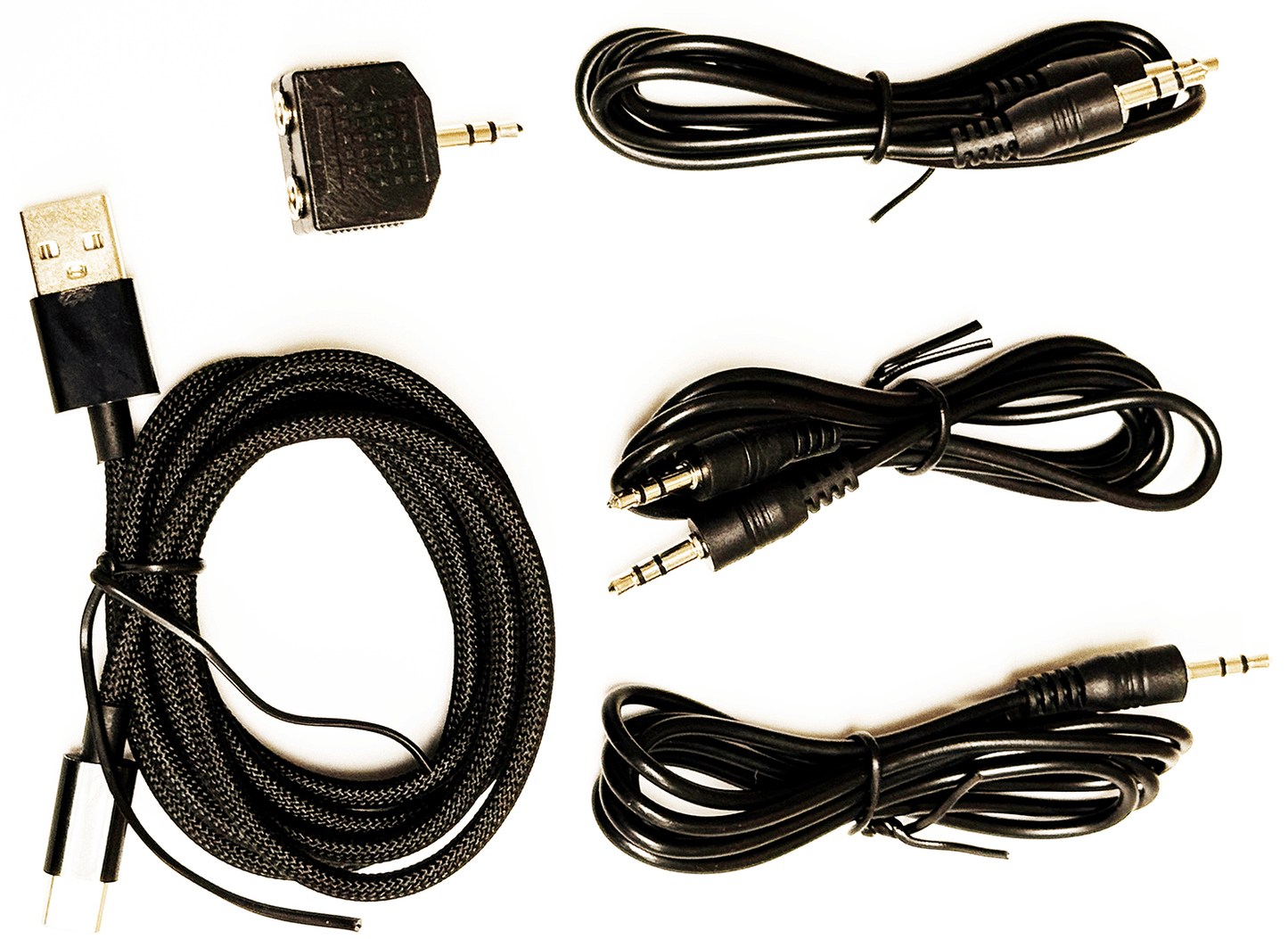
This is all the cables you need for your Ditstorm Cypher™. It includes the following:
- 3x 3-foot Stereo Audio Audio cables with 3.5 mm plugs
- 1x 10-foot USB C to USB A cable for power
- 1x Y-Adapter plug with dual 3.5mm jacks and 3.5 mm plug
The most common configuration is this:
- Audio cable from Cypher KEY-OUT jack to your transceiver KEY-IN jack. Set the transceiver to Straight Key mode
- Y adapter plugged into your transceiver's headphone jack on your transceiver
- Audio cable plugged into Cypher AUDIO-IN jack. The other end plugs into the Y adapter.
- Audio cable plugged into the Y adapter. The other end plugs into a powered speaker. Alternatively, you can plug your headphones into the Y adaptor.
- The USB-C cable plugs into the USB-C connector on the Cypher. The other end plugs into a USB-A powered connector capable of up to 500 ma. Normally we draw much less - that is a worst-case value.
This configuration can also support a key plugged into the Cypher KEY-IN Jack, as well as your own keyer that handles your favorite key functions and outputs straight key. Use the SETTING menu on Cypher to set up the key type and options you wish to use. Use the WPM speed setting in the main GUI to control the speed of dits and dahs.
For those that want to use the keyer in their transceiver, an additional stereo Y adaptor is needed, to connect the key to both the transmitter KEY-IN and the Cypher KEY-IN. The stereo audio cable normally connecting Cypher KEY-OUT is now used with the Y adapter to daisy-chain the key to both transceiver and Cypher.